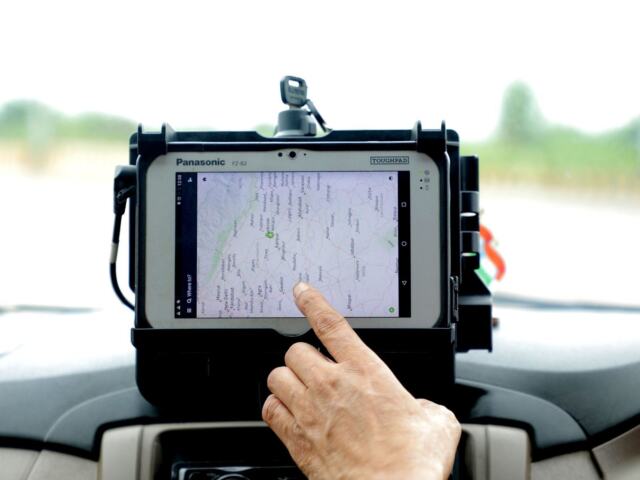
Stopped at roadside and wondering what the officer actually receives? The ELD output file is the standard data file your device generates on request, covering your recent logs, vehicle and driver details.
| Item | Value |
|---|---|
| Who receives it | An authorized safety official, on request |
| Report period an ELD must be able to produce | Current 24-hour period plus the previous 7 consecutive days |
| Output file comment length | Up to 60 characters |
| Integrity check | A line data check value on each line of the file |
| Event sequence ID tracking | At least the last 65,536 unique events |
These figures come from the federal ELD functional specifications (Cornell LII copy of the regulation). Rules can change, so check the source before you rely on them.
This guide is independent and educational. It is not affiliated with any agency or device maker, and it is not legal advice. If you are new to the topic, start with what is an electronic logging device.
What the ELD output file is
The federal ELD specification says that an ELD generates a standard data file output and transfers it to an authorized safety official upon request. The file is not a screenshot or a PDF of your log grid. It is structured data that inspection software can read.
The same specification also describes what a device must show on a display or printout. The data file and the display serve one purpose, which is to let an inspector review your hours of service without handling your device.
What the file contains
The table of contents of the specification names the pieces of the file, including this one.
- An event log list for the Unidentified Driver profile.
The status values inside the event lists use set codes. Our guide to eld duty status codes explains what they mean.

Header: registration, identifier and authentication
The header names the ELD registration ID, the ELD identifier and the ELD authentication value, alongside the output file comment.
The output file comment also sits in the header.
For an exact list of fields and their allowed values, read the data element dictionary in the regulation. This article only describes the layout in general terms.
Events, edits and the Unidentified Driver profile
Most of the file is made up of events. Each event gets an event sequence ID, and the specification says the number must track at least the last 65,536 unique events recorded on the ELD.
Edits are visible in the data. If a driver edits or annotates a record, the specification says the act must not overwrite the original record. An inspector reading the file can therefore see both the original and the change.
The specification also lists several event types: intermediate logs, login and logout activity, engine power up and shut down, and ELD malfunctions and data diagnostic events.
Driving that no one has logged into goes somewhere too. The specification attributes it to the Unidentified Driver account until the motor carrier and the driver review the records and they are assigned to the true and correct owner. The file has its own event log list for that profile.
Data elements behind each event
The specification’s data dictionary defines individual data elements. One of them is Distance Since Last Valid Coordinates.
Edits and annotations are kept separate from the original: the specification says that when a driver edits or annotates an ELD record or enters missing information, the act must not overwrite the original record.
If something looks wrong in a record, the right step is to annotate or correct it through the device. The specification keeps the original record, so a clean correction leaves a clear trail for anyone reviewing the file later.
Carriers also review the file themselves. The specification explains that unassigned driving remains in the Unidentified Driver profile until the motor carrier and driver have reviewed it, so reviewing that profile with your carrier is how unassigned driving gets assigned to the true and correct owner.
How far back the file reaches
The rule says an ELD must be able to produce a complete report for the driver, on demand. That report covers the current 24-hour period and the previous 7 consecutive days, as the specification puts it.
In practice, this is why the officer can see your recent duty history and not only today’s.
The output file comment and data checks
When you start a transfer, the ELD asks for an output file comment. The specification says a device must accommodate a comment of up to 60 characters.
An authorized safety official may give you a key phrase or code during an inspection. If so, it is entered as the comment and embedded in the exchanged records.
The specification says the comment must be used only for the creation of the related data files for the intended time, place and ELD user. It is not a free-text note field for other purposes.
The file also carries integrity checks. The specification requires each line of the output file to include a line data check value, which helps show that a record was not altered after it was generated.
How the file reaches an inspector
The specification’s communications section names several ways to send data files, including wireless transfer via web services, plus USB 2.0 and Bluetooth options. Your device must support the options its certification covers.
- Choose the data transfer function on your ELD.
- Confirm the request when the device asks.
- Pick the transfer option the officer wants.
- Enter the output file comment, if one is requested.
That sequence follows the specification’s requirement that the device take the driver’s request, require confirmation, offer the supported options and prompt for the comment.
If you came from older paper-like systems, aobrd vs eld shows why a standard file format matters.
Frequently asked questions
Is the output file the same as my log printout?
Show answer
No. The data file is the structured transfer. A display or printout is a separate way to show the same information.
Can I add my own notes to the file?
Show answer
You can enter an output file comment of up to 60 characters when you start a transfer. Driver annotations on records are a separate feature and do not overwrite the original record.
Does it cover only today?
Show answer
No. The device must produce the current 24-hour period and the previous 7 consecutive days.
Can the file be edited?
Show answer
Each line carries a line data check value, which is designed to help detect changes after generation.