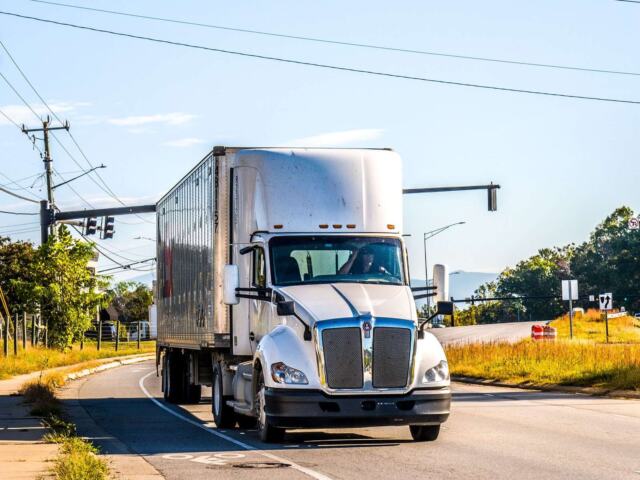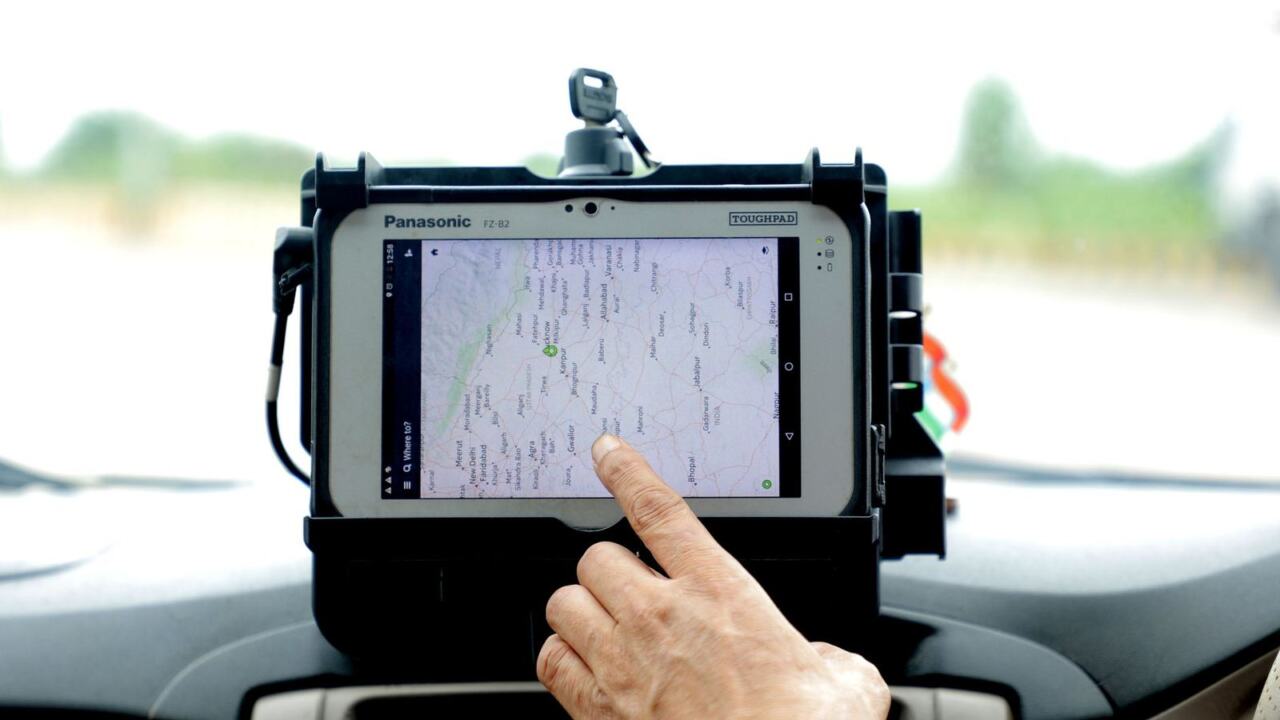
Wondering what is an electronic logging device? It is a unit wired to a truck’s engine that automatically records driving time instead of relying on a handwritten paper log.
| Item | Value |
|---|---|
| What an ELD does | Automatically records a driver’s driving time |
| Rule effective date | February 16, 2016 |
| Motion threshold | Motion detection begins at a set speed threshold of no more than 5 miles per hour |
| Location logging while moving | At 60-minute intervals |
| Paper-log exception | Not more than 8 days out of every 30-day period |
| Last AOBRD grace date | December 16, 2019 |
The figures come from the Federal Register final rule and an FMCSA FAQ reproduction (December 2017 edition). Rules can change, so check the source before you rely on them.
What an electronic logging device actually is
An electronic logging device, usually shortened to ELD, is hardware or software that records when a commercial driver is driving and helps keep an accurate record of hours of service. The federal rule defines it plainly: “an ELD means a device or technology that automatically records a driver’s driving time and facilitates the accurate recording of the driver’s HOS”. The key word is automatically.
Before ELDs, drivers filled in paper grids by hand. A paper log depends on memory, honesty and neat handwriting. An ELD removes much of that guesswork by tying the record to the vehicle itself.
Think of it as a digital timesheet for the cab. It notes when the engine runs, when the truck moves, roughly where it is, and which duty status the driver has chosen. The aim is to help drivers stay within limits that exist to fight fatigue.
The unit is not the same thing as a general fleet tracker, even though many products bundle both. A tracker answers “where is my truck?” An ELD answers “what has this driver done with their working time?” The two questions overlap.
This guide is independent and educational. It is not connected to any agency, device maker or service, and it does not sell products or advice.
Why the rule exists
The rule behind today’s requirements is a federal regulation. The Federal Register notice states that the agency amended the Federal Motor Carrier Safety Regulations to set performance and design standards for these devices and to require drivers to use them. Its effective date was February 16, 2016.
The standards cover more than recordkeeping. The agency says the technical specifications address “prevention of harassment, protection of driver privacy, compliance certification procedures, and resistance to tampering”. In other words, the rule tries to protect drivers as well as hold them to limits.
One of the harassment protections is concrete: “Technical provisions that address harassment include a mute function to ensure that a driver is not interrupted in the sleeper berth.” That detail shows the rule was written with the driver’s rest in mind, not only the inspector’s checklist.
To understand what the logs are measured against, read our explainer on hours of service rules. The device records time, and those rules decide what that time means.
How an ELD works
An ELD connects to the truck’s engine so it can sense when the engine is on and when the wheels turn. That link is what separates it from a simple note-taking app. The device then builds a running record of your day.
Several details come straight from the rule:
- The device treats the vehicle as in motion once it passes a set speed threshold of no more than 5 miles per hour.
- When the vehicle is moving, it records location data at 60-minute intervals.
- It also records an entry when you change duty status, when you indicate personal use or yard moves, and when the engine powers up and shuts down.
Location data is deliberately limited. In the rule’s words, “location data available to authorized safety officials would be recorded at specified intervals”. The design balances enforcement needs against driver privacy, so the device is not a live breadcrumb trail for inspectors.
The same notice describes how the unit decides a truck has stopped. Once speed exceeds the threshold, the vehicle is considered in motion “until its speed falls to 0 miles per hour and stays at 0 miles per hour for 3 consecutive seconds”. That is why a rolling stop in a yard can still count as driving time.
Duty statuses and the daily routine
As a driver you choose a duty status, such as driving, on duty not driving, sleeper berth or off duty. The ELD switches to driving on its own when the truck starts rolling. You then confirm or change statuses at the right moments.
Each status has a code and rules about when it applies. Our guide to eld duty status codes walks through them one at a time.
A typical day looks like this:
- Log in at the start of the shift using your own driver account.
- Check that the device is working and shows the correct vehicle.
- Drive; the unit records driving time without you touching it.
- Change status when you stop for rest, loading or other work.
For button-by-button help, see how to use an eld. Different brands have different screens, but the underlying duty statuses are the same.
Good habits matter more than the model of device. Change status when the work changes, not long afterwards. Read any prompt the unit shows rather than tapping through it, because a wrong answer becomes part of your record.
Who must use one, and who is exempt
The requirement covers most drivers who must keep records of duty status. The rule has limited exceptions, though, and the FMCSA FAQ lists them. Drivers in these situations are not required to use an ELD:
- Drivers who operate under the short-haul exceptions and may keep using timecards.
- Drivers who “use paper RODS for not more than 8 days out of every 30-day period”.
- Drivers of vehicles manufactured before 2000.
The FAQ clarifies that the eight-day count is flexible: “The 30-day period is not restricted to a single month, but applies to any 30-day period.” Exempt drivers in some of these groups are still bound by the paper logging rules. As that FAQ edition says, they “must prepare logs on paper, using an Automatic On-Board Recording Device (AOBRD), or with a logging software program when required”.
Border crossings matter too. The same FAQ answers “Yes” to whether Canada- and Mexico-domiciled drivers must use ELDs when operating in the United States. Exemptions are narrow, so check your own situation against the current rule and not only this summary.
For a wider view of meeting these duties as a business, read about eld compliance.
ELDs, paper logs and older AOBRDs
Three generations of logging exist. Paper logs came first, then automatic on-board recording devices (AOBRDs), and now ELDs. An AOBRD records similar information but was built under an older standard.
The FAQ quotes the regulation on transition timing: a carrier that installed and required an AOBRD before December 18, 2017 could “continue to use the AOBRD until December 16, 2019”. Those dates are now history, so a new installation today should be an ELD that meets the current specifications. This is the position as stated in that December 2017 FAQ edition.
Compare the details in aobrd vs eld. For the practical differences against handwriting, see eld vs paper logbook.
The FAQ also separates two things people mix up: paper records of duty status and printouts from an ELD. The FAQ poses the question of the difference between the two, so check its answer before you assume a printout counts as a paper record.
Devices, phones and the paperwork in the cab
An ELD does not have to be a box bolted under the dash. The FAQ states that “An ELD can be on a smartphone or other wireless device if the device meets the ELD rule’s technical specifications.” A driver may also use a portable ELD, since the FAQ answers “Yes” to that question.
The device must meet the technical specifications, and the maker must register it. Buying a gadget that merely claims to log hours is not enough. The FAQ puts the duty on the buyer: “The motor carrier is responsible for checking that their device is registered.”
The rule also asks for paperwork. The FAQ says a driver using an ELD must have an ELD information packet onboard, beginning on December 18, 2017, and that the packet can be in electronic form. It starts with a user’s manual describing how to operate the device.
When an officer requests your logs, the device produces a file. The rule notes that “ELD output files have a standardized format”, so an inspector’s system can read it whichever brand you use. Learn what is inside in eld output file.
Roadside checks are where most drivers meet the technology under pressure. Prepare with eld roadside inspection so you know what to hand over and what to say.

Common misunderstandings
Many drivers and new carriers arrive at ELDs with half-remembered rumours. Clearing them up early saves stress at the roadside and money at the purchase stage.
- “It tracks me every second.” The rule describes recording location at set points and intervals, not a continuous feed for inspectors.
- “Any app counts.” A phone can serve as an ELD only if the device meets the technical specifications, and the maker must register it.
- “Exempt means no records.” Several exempt groups still keep records another way, such as paper logs or software.
- “The device decides my status.” It switches to driving automatically, but you still choose and confirm the other statuses.
- “A printout is a paper log.” The FAQ treats paper records of duty status and ELD printouts as different things.
The common thread is that the ELD is a record-keeping tool, not a judge. It reports what happened. What counts as a violation depends on the limits in the hours rules, not on the gadget.
It also helps to remember who is responsible for what. The driver is responsible for logging in, keeping statuses right and carrying the information packet. The carrier is responsible for checking that its device is registered.
Questions to ask before you choose or accept a device
If your carrier supplies the unit, you may have no choice of brand. You can still ask sensible questions, and a good carrier will answer them without fuss.
- Is this exact model and version registered with the agency?
- Where is the user’s manual, and is it stored on the device or in the cab?
- How do I certify my records, and how do I flag a mistake?
- What do I do if the screen freezes or loses its connection mid-shift?
- How do I show my records to an officer, and who helps if the transfer fails?
- Does the device offer a way to mute notifications while I rest in the sleeper berth?
Owner-operators carry the same duties as larger fleets, but without a back office to call. If you run your own authority, write your answers down and keep them in the cab with the information packet. A short, tidy folder shows an inspector that you take the rules seriously.
Finally, treat training as part of the purchase. A device that nobody understands creates errors, and errors create confusing logs. Even experienced drivers benefit from a short walk-through whenever a new brand or software version arrives.
Running a fleet with ELDs
For carriers, an ELD is also a data source. Fleet systems often pair the compliance record with dispatch, maintenance and fuel tools. That can save time, but it also adds cost and a need to train staff.
When comparing options, consider these points:
- Is the model on the official registered list?
- Can drivers use it without distraction?
- How are records stored and for how long?
- What happens when the unit loses power or connectivity?
- Who can see driver data, and for what purpose?
Drivers tend to accept the technology more readily when the carrier explains what it records and what it does not. Clear policy on privacy, and a fair process for fixing record errors, reduce friction between the office and the cab.
Our overview of fleet management eld covers these business questions in more depth.
Training and day-to-day management
A device is only as good as the habits around it. Carriers that get good results usually treat the rollout as a small project, with a clear owner and a plan for new hires.
- Give every driver their own login so records are never mixed up.
- Keep the user’s manual and information packet in the cab, on paper or in electronic form.
- Review logs regularly so small mistakes are fixed while memories are fresh.
- Set a simple route for drivers to report faults and get help quickly.
- Tell drivers plainly what the system records and who can see it.
Drivers who feel watched tend to resent the unit, and resentment leads to workarounds. A calm explanation that the rule limits location recording and includes protection against harassment goes a long way. The notice itself says the standards address harassment and driver privacy.
Smaller operators sometimes ask whether a cheaper phone-based option is enough. It can be, provided the app and any hardware meet the technical specifications and are registered. Price alone is a poor guide, so compare support, reliability and how clearly the screens guide a tired driver.
Reading your own logs
Learning to read your own record pays off. Look at the sequence of statuses across the day and check that each change matches what you actually did. If a block of time looks wrong, raise it before you certify the day.
Pay attention to driving time that was not tied to a logged-in driver, to personal use and yard moves, and to any note you added. Keeping them tidy makes a roadside conversation short and uneventful.
Remember that the file an officer receives has a standardized format. If you would be embarrassed to explain an entry, fix or annotate it properly while the day is fresh, using the process your carrier provides.
When something goes wrong
Devices fail, cables loosen and software glitches happen. The Federal Register notice includes a section on requirements when ELDs malfunction, so the rule does address the situation. A gap in records can turn into a violation if it is handled badly.
The steps differ by situation, so read eld malfunction what to do before you need it. Keeping blank paper log sheets in the cab is a simple precaution many drivers use.
The same notice also has a section on a driver’s annotation and edits of records. If your log shows a mistake, ask how your carrier’s process works rather than guessing, and keep the explanation honest and specific.

Frequently asked questions
Is an ELD the same as a GPS tracker?
Show answer
No. A GPS tracker follows a vehicle’s position, while an ELD records duty status and driving time and must meet federal specifications. Some products combine both functions.
Can I use my smartphone as an ELD?
Show answer
Yes, if the app and any hardware meet the technical specifications. The FMCSA FAQ says an ELD can be on a smartphone or other wireless device when it meets those specifications.
Do I need an ELD if I rarely keep logs?
Show answer
Possibly not. Drivers who use paper records for not more than 8 days out of every 30-day period are excepted, per the FAQ. Any 30-day period counts, not only a calendar month.
Are older trucks exempt?
Show answer
Drivers of vehicles manufactured before 2000 are not required to use an ELD under the FAQ’s list of exceptions.
Who checks that a device is registered?
Show answer
The motor carrier does. The FAQ says the carrier is responsible for checking that its device is registered, so confirm the model before you buy.