Wondering how long you can legally stay behind the wheel? The hours of service rules for property-carrying drivers cap driving at 11 hours inside a 14-hour window, with breaks and weekly limits on top.
| Rule | Limit for property-carrying drivers |
|---|---|
| Driving limit | 11 hours after 10 consecutive hours off duty |
| Driving window | 14 consecutive hours, and the clock does not pause |
| Required break | 30 consecutive minutes after 8 hours of driving time |
| Weekly cap | 60 hours in 7 days or 70 hours in 8 days |
| Cycle reset | At least 34 consecutive hours off duty |
These figures come from the Foley Carrier Services guide and the Geotab guide. Rules can change, so check the current federal text before you rely on them.
This is an independent educational explainer, not legal advice and not an official source. For the device side of compliance, start with what is an electronic logging device.
What the hours of service rules are for
In general, hours of service rules regulate the maximum number of hours that can be driven, specify mandatory break times and time off, and set duty cycles. The aim is to keep tired drivers off the road.
The rules differ by type of driver. This guide covers the property-carrying ruleset, which is the one that applies to most freight truck drivers.
Under that ruleset, drivers must follow three main limits:
- The 14-hour driving window
- The 11-hour driving limit
- The 60-hour/7-day and 70-hour/8-day limits
A mandatory 30-minute break and a 34-hour restart complete the picture, as the Foley guide lists them among the core limits.
The 11-hour driving limit and the 14-hour window
The 11-hour driving limit means a driver can drive a maximum of 11 hours after 10 consecutive hours off duty. Driving ends when you reach it, even if the 14-hour window is still open.
The 14-hour window starts when you first come on duty or begin driving, whichever is first, after a qualifying 10-hour off-duty period. All driving must happen inside it.
The key detail is that the 14-hour clock does not pause. Time spent on lunch, a nap or waiting at a dock still runs against it.
A worked example
Say you drive 8 hours, take a 1-hour lunch, drive 2 more hours, then rest for 3 hours. Geotab’s example says that driver has hit the 14-hour limit despite not reaching the 11-hour driving limit.
That is why planning around the window matters as much as counting driving hours.
The 30-minute break
After accumulating 8 hours of driving time, a driver must take at least 30 consecutive minutes off. The break is triggered by driving time, not by time on duty.
Foley’s guide says the break can now be satisfied by off-duty time, sleeper berth time or on-duty not-driving time. Before that change, only off-duty or sleeper berth time counted.
Some third-party guides describe the trigger differently, so confirm the exact wording in the federal regulation for your situation.

Weekly limits and the 34-hour restart
The 70-hour rule counts total time spent driving and on duty, and it cannot exceed 70 hours in any 8-day period, or 60 hours in any 7-day period. Which one applies depends on how your carrier operates.
Once you hit the limit, you can reset to zero by taking at least 34 consecutive hours off duty. This is also called the 34-hour restart.
- Check how many hours you have used in the current cycle.
- Stop driving when you reach the 60- or 70-hour cap.
- Take at least 34 consecutive hours off duty.
- Start the new cycle with a full set of hours available.
Sleeper berth splits
Drivers in a vehicle with a sleeper berth can split the required 10 hours of off-duty time under 49 CFR 395.1(g). Foley’s summary describes two options, both reflecting the 2020 final rule.
- 7/3 split: at least 7 consecutive hours in the sleeper berth, plus at least 3 consecutive hours off duty, in the sleeper berth, or a combination.
- Flexible split: any combination of two periods totaling at least 10 hours.
Foley describes the split as dividing the required 10 hours of off-duty time, so check the regulation for how it affects your 14-hour window.
How the limits fit together
It helps to see each rule as answering a different question. One caps driving, one sets the window in which driving must happen, one forces a pause and two cap the week.
- Driving in one stretch of work is capped by the 11-hour driving limit.
- The time you have to finish that driving is set by the 14-hour window.
- Pauses come from the 30-minute break after 8 hours of driving time.
- Weekly work is bounded by the 60-hour/7-day or 70-hour/8-day cap.
- Starting fresh happens through the 34-hour restart.
Geotab’s key insight is that the 14-hour and 11-hour limits are distinct constraints that interact. A driver who breaks mid-shift can hit the 14-hour cap before reaching 11 driving hours.
That interaction is the reason many drivers feel the rules are tighter than the headline numbers suggest. Eleven hours of driving is a ceiling, not a guarantee.
Think of the daily rules as a budget with separate meters. A driving meter counts only wheel time, and a window meter counts the wall clock from the moment your day begins. Whichever runs out first ends your driving, so a slow loading dock can cost you road hours even though you were not driving.
Planning a shift around the limits
The limits stack on top of each other, so the tightest one decides when you must stop. As Geotab’s example shows, a driver who breaks mid-shift can hit the 14-hour cap before reaching 11 driving hours.
A few habits help you stay inside all of them:
- Note the time your window opens, because the clock starts when you first come on duty or begin driving.
- Count dock waits and fuel stops as time against the window, since the clock does not pause.
- Schedule your break before you need it, so it never forces a stop at a bad location.
- Look at your weekly total at the start of each day, not only when the device warns you.
Dispatchers and drivers should talk about the clocks before accepting a load. A pickup that looks easy on a map can burn most of a window while you wait for paperwork.
Common mistakes drivers make
One error to avoid is treating a long rest in the middle of the day as if it freed up extra time. Because the window keeps running, a long wait can leave you with driving hours you can no longer legally use.
Another is mixing up the two weekly options. The 60-hour/7-day and 70-hour/8-day limits are alternatives, so know which one your carrier operates under.
A third is relying on a memory of older break wording. Foley notes that the rule changed, so use a current source when you plan.
How logging devices record all this
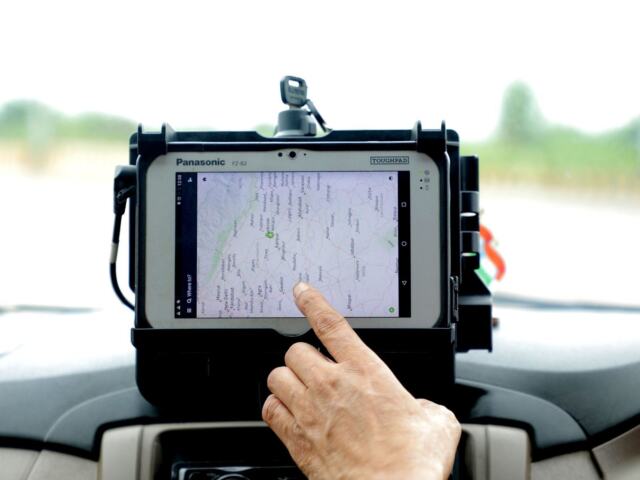
Paper logs are no longer permitted since the ELD mandate took full effect December 16, 2019, according to a Geotab guide dated Oct 5, 2026. Your device tracks driving time against these limits automatically.
If you are comparing older recording methods, see our look at aobrd vs eld. For day-to-day operation, read how to use an eld.
Frequently asked questions
Does time off for lunch pause the 14-hour clock?
Show answer
No. The 14-hour clock does not pause, so breaks and naps still run against the window.
How do I reset my 60 or 70 hour clock?
Show answer
A restart does it: a full 34-hour stretch away from duty zeroes the cycle, per the sources linked above.
When must I take the 30-minute break?
Show answer
Driving time triggers it: once 8 hours have built up, a half-hour pause is required.
Can I split my off-duty time in a sleeper berth?
Show answer
Yes, if your vehicle has a sleeper berth. Options include the 7/3 split and a flexible two-period split totaling at least 10 hours.