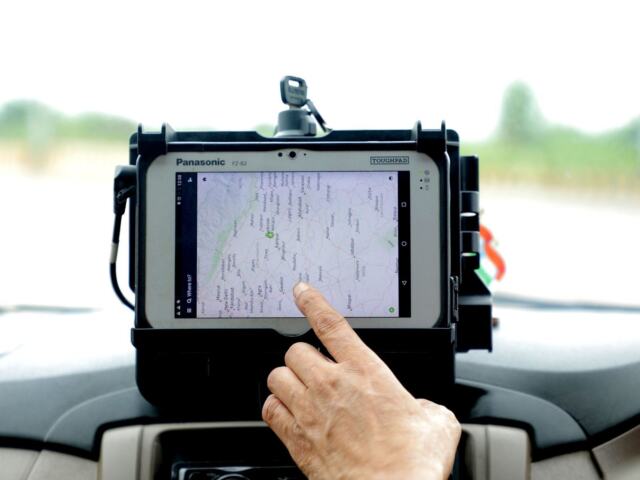
Pulled over and wondering what happens next? An ELD roadside inspection is mostly a records check: you show or transfer your hours-of-service data on request, and carry backup paperwork in case the device fails.
New to the device itself? Start with our explainer on what is an electronic logging device, then come back for the roadside side of things.
| Item | Value |
|---|---|
| Written malfunction notice to the carrier | Within 24 hours |
| Records to reconstruct after a malfunction | Current 24-hour period plus previous 7 consecutive days |
| Carrier’s window to correct a malfunction | 8 days from discovery or driver notice, whichever is first |
| Minimum telematics transfer methods | Web services and email |
| Minimum local transfer methods | USB and Bluetooth |
These figures come from the federal rules for ELD malfunctions and the ELD functional specifications. Rules can change, so check the source before you rely on them.
What the officer is actually asking for
At a roadside check for hours of service, the officer wants to see your record of duty status. The ELD rules say the device generates a standard data file output and transfers it to an authorized safety official upon request.
In practice, expect a request in one of two forms:
- Show the records on the ELD screen or a printout.
- Send the data file electronically, using the method the officer names.
Your ELD provider decides the menu names, so the buttons differ from one brand to the next. The principle is the same everywhere: you operate the device, and the officer receives the data.
Keep your answers short and factual. The officer is checking that the data matches the rules, not testing your memory, so let the records speak and answer only what you are asked.
It also helps to know that the ELD generates a standard data file output, so the officer receives your hours-of-service data in a consistent format.
How the data transfer works
An ELD must support at least one of two sets of transfer methods. Per the functional specifications, it does either of these: transfer the data using both wireless web services and email, or transfer it using both USB and Bluetooth.
The first set is called telematics transfer, and the second is local transfer. Your device only needs to offer one of them, so ask your carrier which one yours uses.
- Open the inspection or data-transfer mode on your ELD.
- Choose the transfer method the officer requests.
- Enter any output file comment the officer gives you, such as an inspection code, if your device has that field.
- Send the file and wait for the confirmation on screen.
With email transfer, the output file comment goes in the message body. That is how a comment you type reaches the receiving side.

What should be in the cab before you are stopped
Federal rules require the motor carrier to make sure drivers keep an ELD information packet onboard the vehicle. One item in it is an instruction sheet for the driver describing the data transfer mechanisms the ELD supports, with step-by-step instructions to produce and transfer your records to an authorized safety official, per 49 CFR 395.22.
Read that sheet before you need it. If you have never run a test transfer, a quiet moment at a rest stop is a better time to learn than a roadside stop with an officer waiting.
A short pre-trip routine helps:
- Confirm the ELD powers on and shows your current duty status.
- Find the instruction sheet and check it matches your device.
- Make sure your device has a signal or connection for the transfer method your ELD uses.
- Certify any past days that still need your sign-off. The ELD records your affirmative “Agree” selection as an event.
Team drivers, shared vehicles and drivers who log in as co-drivers should check that the right person is logged in before the stop. A wrong login is an easy thing to fix at a rest area and a harder thing to explain at the roadside.
Keep the cab tidy too. Having the instruction sheet, your licence and any paper logs in one folder saves time, and a calm, organised stop tends to move along faster for everyone involved.
If the ELD fails during the inspection
A dead screen or a malfunction does not end the conversation. Under 49 CFR 395.34, when you are inspected for hours of service compliance during an ELD malfunction, you must give the officer your manually kept records of duty status.
The same rule tells you what to do once you notice the problem:
- Note the malfunction and give the motor carrier written notice within 24 hours.
- Reconstruct your record of duty status for the current 24-hour period and the previous 7 consecutive days on graph-grid paper logs.
- Keep records by hand until the device is working again.
The carrier, for its part, must take action to correct the malfunction within 8 days of discovering it or being told, whichever comes first, unless it gets an extension.
For a fuller walk-through, see our guide on eld malfunction what to do. It covers the paper fallback in more detail than this page.
Common mistakes that slow an inspection down
- Not knowing your transfer method. Fumbling through menus makes a short check long.
- Not reading your instruction sheet. The rules describe the ELD transferring a data file to the authorized safety official on request, so follow your instruction sheet for the transfer steps.
- Skipping the written malfunction notice. The 24-hour notice to your carrier is a duty of the driver, so do not leave it for later.
- Carrying no paper backup. If the device dies, you need graph-grid logs ready.
Some drivers wonder whether paper would be simpler. The trade-offs are laid out in our comparison of eld vs paper logbook, though the roadside process above applies to any driver required to use an ELD.
Frequently asked questions
Do I have to hand my device to the officer?
Show answer
The federal specifications describe the ELD producing a data file and transferring it to the authorized safety official on request. The instruction sheet in your ELD information packet gives step-by-step instructions for producing and transferring your records, so follow it.
What if my ELD cannot send the file?
Show answer
The instruction sheet in your ELD information packet describes the data transfer mechanisms your ELD supports, so check it. If the ELD is malfunctioning, give the officer your manually kept records under 49 CFR 395.34.
How far back do my paper logs need to go after a malfunction?
Show answer
You reconstruct the current 24-hour period and the previous 7 consecutive days, recorded on graph-grid paper logs.
How long does my carrier have to fix a broken ELD?
Show answer
The carrier must act within 8 days of discovering the problem or of your notification, whichever occurs first. It can ask for an extension, and that request has to meet the content requirements in the rule.